Join the Crew
Get the best resources for producers delivered to your mailbox

Get the best resources for producers delivered to your mailbox


The Wrapbook Team consists of individuals who are thrilled about building modern software tools for creators. We’re a team of compassionate and curious people dedicated to solving complex problems with sophisticated solutions. You can find us across the U.S. and Canada.
At Wrapbook, we pride ourselves on providing outstanding free resources to producers and their crews, but this post is for informational purposes only as of the date above. The content on our website is not intended to provide and should not be relied on for legal, accounting, or tax advice. You should consult with your own legal, accounting, or tax advisors to determine how this general information may apply to your specific circumstances.
Developed by Entertainment Partners, Movie Magic Budgeting remains a cornerstone of scripted film and television production. Paired with its scheduling counterpart, Movie Magic Scheduling, it continues to be one of the most widely recognized and utilized budgeting tools in the industry.
Movie Magic Budgeting is a go-to choice for both short- and long-form scripted content. While automated script breakdowns should always be reviewed by experienced professionals, the software offers a highly detailed and structured approach that is ideal for productions with complex budgeting needs.
As an industry standard, Movie Magic benefits from a vast ecosystem of educational resources, making it easier for users at all experience levels to learn and adopt. Although initial setup can take time, the precision and familiarity of its format make it invaluable for many productions.
Saturation is a collaborative budgeting tool that blends industry-standard budgeting principles with modern, cloud-based workflows. Designed by a working producer seeking a more flexible alternative to legacy tools, Saturation streamlines the budgeting process for today’s production environments.
With integrations and automation capabilities, Saturation helps teams move quickly while maintaining structure and accuracy. It is particularly well-suited for commercials, music videos, and independent films, offering a smooth and efficient budgeting experience that adapts to a variety of project types.
Saturation operates on a subscription model and includes a free tier for single-project users, making it accessible to independent creators and scalable for growing teams.
Showbiz Budgeting software comes from the team at Media Services and serves as a strong alternative to Entertainment Partners’ Movie Magic Budgeting. Positioned as a middle ground between Movie Magic Budgeting and Hot Budget, it offers robust functionality with a workflow tailored to production realities.
Showbiz Budgeting excels in commercials and music videos but is also capable of supporting scripted projects. It’s an ideal choice for producers who primarily work in short-form content but occasionally branch into long-form, providing a versatile, all-in-one budgeting solution.
Choosing the right film budgeting software can feel daunting given the range of tools available, each designed to support different production needs and workflows. Ultimately, the best solution depends on the scale of your project, your collaboration requirements, and your preferred approach to budgeting and cost management.
As production finance continues to evolve, having the right systems in place is essential for maintaining accuracy, efficiency, and financial control throughout the lifecycle of a project. Whether you’re an emerging producer or part of an established studio team, investing time in selecting the right budgeting tool will pay dividends across every stage of production.
If you’d like to explore production accounting further, check out our pieces on best practices for production accountants and the ongoing Slack vs. Facebook debate in accountant networking to stay connected with the latest industry insights.
Building a production budget is both a technical exercise and a strategic one. Whether you’re bidding on a commercial, packaging a feature, or managing costs deep into post, the right budgeting tool can shape how efficiently and accurately you work.
With so many options available—from industry-standard platforms to flexible templates—it can be difficult to know which solution fits your project and workflow. In this article, we break down some of the most widely used film budgeting tools of 2026, highlighting what they’re best suited for and where they may fall short.
But first, let’s look at some of the key uses for a film budgeting template. Are you looking to win a bid on a big commercial project or are you already greenlit to pre-production on a feature? Your project needs will inform which film budgeting software is best for you.
Production budgets can be used for a variety of important reasons in various stages of a project, such as:
Producers use film budgeting software when first bidding on projects or fundraising a project they want to make.
Budgets are put together here to both show that you know what you are doing and to propose what cost you can (and are willing to) produce the project for.
Once you’ve landed the project, your production budget is frequently updated to show changing costs for both yourself and as a client-facing tool.
Remember, if your budget needs are mostly client-facing, you’ll need budgeting software that is both workable for you and presentable to your client. Here, visuals matter!
Unions will want to see your budget before agreeing to work with you on a project. SAG-AFTRA, for example, requests a budget when you submit your signatory packet, along with a slew of other regulations.
It’s why we wrote a whole article on how to budget SAG payroll.
Don’t forget to include line items for SAG rates, agent and manager fees (if applicable), and union talent fringes such as pension & health and payroll taxes.
Just like a production schedule, your production budget is a living, changing document that updates well into post. So it’s vital to find the right user-friendly film production budgeting software that is both trustworthy and comprehensive to your needs.
And if you are working for a production company or studio, they will likely have their own unique way of working that you’ll have to adopt.
An ideal budgeting solution would allow you to manage your costs all in one place. Far too often, payroll is in one tool while purchase orders and petty cash are in another.
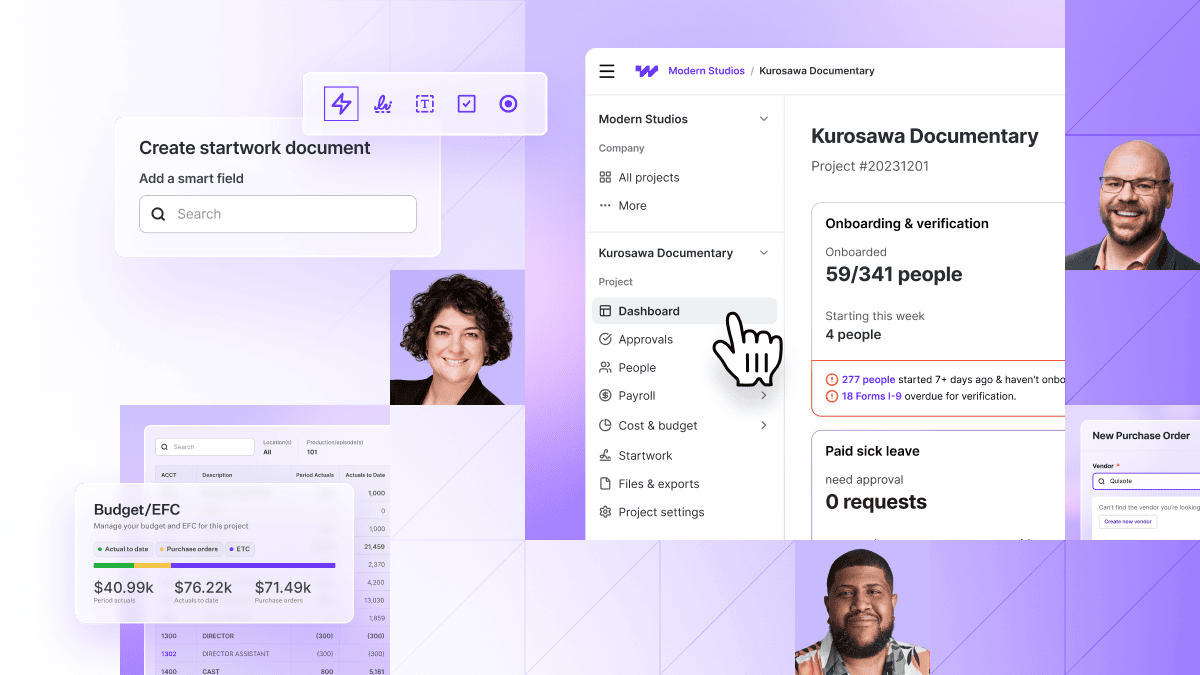
Thankfully, Wrapbook's Cost Tracking feature allows you track and manage your costs in real time. Create and track PO's and petty cash digitally. Be confident that you're tracking every dollar in or out as the crew upload receipts on-the-go from their existing Wrapbook account.

Just import your budget from Hot Budget, Movie Magic, or Showbiz, and Wrapbook's Budget Tracker will reflect each payroll, purchase order, and petty cash transaction in real time. Each transaction will be coded against your project Chart of Accounts so that you can have a line-by-line breakdown of costs.
Wrapbook supercharges your budget software. Learn more or watch a demo today.
Celtx Budgeting software comes from the makers of Celtx Screenwriter, a widely used and accessible screenwriting tool that serves as a strong entry point for emerging creators. Celtx has expanded into a comprehensive digital production suite that includes budgeting alongside a range of complementary production tools.
It is a solid full-service option and a great place to look if you are just starting out or want everything in one place. Recommended for full-service indie producers working in film, digital, and smaller scale commercials.
While Celtx’s budgeting software is not free like its screenwriting counterpart, it is offered as part of a broader production suite that includes valuable features such as scheduling software, call sheet generation, and cost reporting tools.
Hot Budget is a dedicated budgeting tool widely recognized in the commercial production space. It’s designed for speed, clarity, and ease of use—making it a popular choice for producers who need to quickly assemble budgets that can be presented to clients or used in competitive bidding.
Strong adoption among commercial teams has made Hot Budget a go-to solution for non-union and SAG commercial projects. Its interface and outputs are tailored to the expectations of commercial finance workflows, and many producers appreciate how quickly top sheets and client-ready budgets can be generated.
Hot Budget often integrates well with other tools in the Hot Bricks suite, which can be appealing for teams already using that ecosystem. While its focus is narrower than some long-form budgeting solutions, it remains a reliable option for its intended use cases.
Line Budgeter is a modern, data-driven budgeting platform built specifically for physical production. Developed by industry professionals, including a two-time Emmy™-winning producer, the software was created to address long-standing frustrations with legacy budgeting tools and to bring production finance workflows into the modern era.
Designed to move beyond “digital paper,” Line Budgeter focuses on automation, flexibility, and real-time data handling to support the complex demands of film, television, and commercial production. Its architecture emphasizes efficiency and scalability, making it a compelling option for production planners seeking a contemporary alternative to traditional budgeting systems.
Ideal for productions that require dynamic budgeting and data-driven decision-making, Line Budgeter aims to streamline the heavy lifting of production planning while maintaining the precision expected in professional budgeting environments.